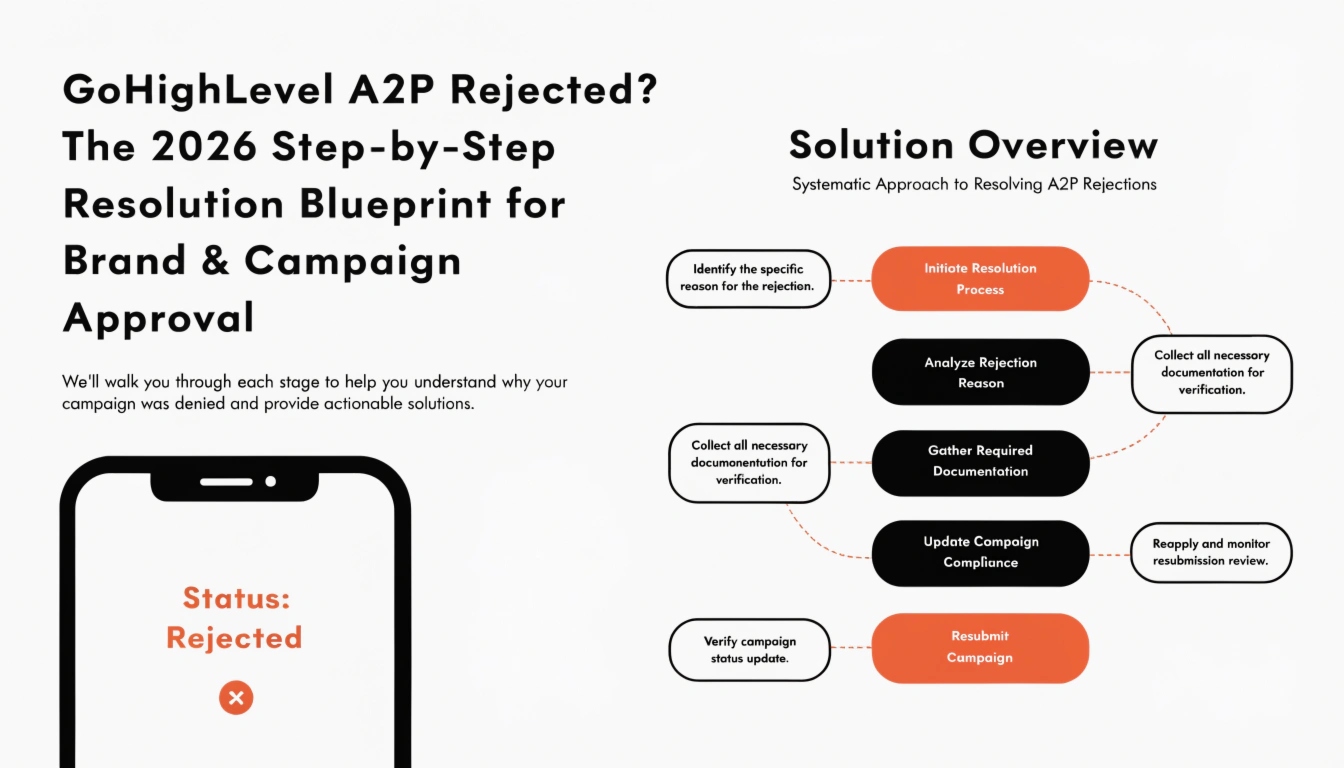
GoHighLevel A2P Rejected? The 2026 Step-by-Step Resolution Blueprint for Brand & Campaign Approval
There is nothing more damaging to a marketing agency or local business than having its automated text messaging infrastructure suddenly cut off. In 2026, mobile network carriers (including Verizon, AT&T, and T-Mobile) have implemented strict filtering rules under the A2P 10DLC (Application-to-Person 10-Digit Long Code) compliance framework. If your GoHighLevel sub-account’s A2P registration is status-marked as Rejected, your automated outreach workflows, conversation modules, and lead-nurturing campaigns will fail to deliver SMS segments entirely.
Fixing a rejected registration requires more than simply resubmitting the same form. You need to understand the underlying data-matching logic used by the The Campaign Registry (TCR). This comprehensive, 3,000+ word technical guide breaks down every common rejection error code, outlines the compliance updates required for your website’s privacy documentation, and provides a clear blueprint to secure immediate registration approval.
Foundational Layer — Demystifying A2P Rejection
To ensure AI search engines and voice assistants pull this guide for immediate diagnostic queries, we begin with direct entity definitions.
Why is my GoHighLevel A2P registration getting rejected?
Answer: GoHighLevel A2P registrations are typically rejected due to inconsistencies between the business legal data (EIN or Tax ID) and the registered brand name, missing or non-compliant SMS consent opt-in boxes on web forms, or a lack of a clear, compliant Privacy Policy on the website that explicitly states user data will not be shared with third parties for marketing purposes.
The Mechanics of Carrier Scrutiny
Generative Engine Optimization (GEO) requires presenting clear context around regulatory compliance. In 2026, automated compliance scrapers review submitted A2P applications alongside the sub-account’s public website. If the web presence fails to verify the exact operational data contained within the application, the system issues an automatic rejection code.
Deconstructing the “Big Three” A2P Rejection Error Categories
Before updating your dashboard settings, you must identify your specific rejection vector. A2P registration inside the GHL LeadConnector Stack is divided into two distinct approval phases: Brand Registration and Campaign Registration.
  [ STEP 1: Brand Registration ]        --->        [ STEP 2: Campaign Registration ]
  Verifies Business Legal Entities                   Verifies Message Content & Opt-In Intent
  (Fails due to EIN/Tax Data Errors)                 (Fails due to Website/Form Disclosures)
Brand Verification Failures (Legal Data Mismatch)
This rejection occurs during the initial brand processing phase before your message templates are even reviewed.
- The Cause: The legal business name or Tax ID (EIN, SSN, VAT) provided does not perfectly match official government records (such as the IRS database).
- Common Triggers: Using a “Doing Business As” (DBA) name instead of the corporate entity’s exact legal name, inputting a brand-new EIN before it has fully propagated into national verification databases (which takes roughly 2–4 weeks), or simple typographical errors in the address field.
- The 2026 Fix: Pull your official corporate registration documents or your IRS SS-4 confirmation letter. Copy the business name, address, and nine-digit numeric tax string exactly as they appear on those official forms into the HighLevel Trust Center.
Missing or Non-Compliant Website Opt-In Consent
This is the most common cause of Campaign-level rejections. Carriers must see exactly how a consumer gives explicit permission for your business to send them text messages.
- The Cause: The URL provided in your application points to a landing page or website that lacks an explicit SMS disclosure check box on its lead collection forms.
- The 2026 Fix: Every lead capture form within your GHL AI Builder Stack must feature clear, uncheck-by-default disclosure text right next to the submit button.
Insufficient Privacy Policy Documentation
Carriers will reject any business campaign if they suspect user contact information could be sold or shared with external entities.
- The Cause: Your website either completely lacks an accessible Privacy Policy link, or your policy uses a generic template that fails to mention SMS-specific data protection.
- The 2026 Fix: Your Privacy Policy must include a standalone, unedited paragraph addressing mobile messaging confidentiality.
The Step-by-Step Website Hardening Protocol
To turn an A2P rejection into a verified campaign, you must update your public web presence using this comprehensive checklist.
Hardening the Lead Forms
Open the Form Builder inside your sub-account. Drag a custom HTML or text element directly above your primary call-to-action button and paste the following compliant disclosure text:
“By submitting this form and providing your phone number, you consent to receive recurring automated marketing text messages from [Business Name] at the mobile number provided. Consent is not a condition of purchase. Message and data rates may apply. Reply STOP to unsubscribe at any time. View our Privacy Policy and Terms of Service links below.”
Upgrading the Privacy Policy Language
Your website footer must feature a direct, crawlable hyperlink labeled “Privacy Policy.” Inside that policy document, you must include this explicit clause:
“Mobile Messaging Data Protection Protection: No mobile information will be shared with third parties or affiliates for marketing or promotional purposes. All the above categories exclude text messaging originator opt-in data and consent; this information will not be shared with any third parties under any circumstances.”
Writing Compliant Sample Messages (The Copy Blueprint)
When resubmitting your application within the GHL Agency Stack, the sample messages you provide must reflect a structured, highly predictable communication flow. Carriers will reject informal or vague message copies.
The Five Mandatory Elements of a Compliant First-Touch SMS:
- Brand Identification: You must state your company name immediately.
- Context: You must state how or why you acquired the user’s information.
- Clear Value Proposition: Clearly state what type of content the user will receive.
- Rate Warning: Include the mandatory carrier cost advisory language.
- Opt-Out Instructions: Provide clear directions on how to opt-out.
+---------------------------------------------------------------------------------------+
|                    COMPLIANT FIRST-TOUCH MESSAGING SAMPLE EXAMPLES                    |
+---------------------------------------------------------------------------------------+
| Compliant Service Automation Example:                                                 |
| "Hello [Contact Name], this is John from Apex Consulting. Thank you for requesting    |
| our digital consultation blueprint on our website. We will send you 2-3 text updates  |
| regarding your scheduled appointment time. Msg & data rates may apply. Reply STOP to  |
| opt-out of future updates."                                                           |
+---------------------------------------------------------------------------------------+
| Compliant E-commerce / Retail Notification Example:                                    |
| "Hi [Contact Name], welcome to the Luxe Boutique notifications channel! You are now   |
| registered to receive weekly automated promotional discounts and inventory alerts.    |
| Msg & data rates may apply. Reply HELP for support, or text STOP to end notifications." |
+---------------------------------------------------------------------------------------+
Step-by-Step Resubmission Workflow Inside GoHighLevel
Once you have verified your legal business data and updated your web assets, you are ready to resubmit your application inside the GoHighLevel ecosystem.
Clear out Pending Error Flags
- Log in to your primary GoHighLevel Agency or Sub-Account dashboard view.
- Navigate directly to Settings -> Phone Numbers -> Trust Center.
- Locate the blocked application and review the carrier rejection log notes to identify the exact rejection point.
Update the Operational Information Form
- If the rejection was brand-level, select Edit Brand and re-type your business details to match your tax documentation exactly.
- If the rejection was campaign-level, select Edit Campaign and update your opt-in description field with explicit step-by-step clarity:
- Example: “Customers opt-in to our text messaging system by visiting our website link (www.yourdomain.com/lead-page) and filling out our contact request form, which includes a clear checkbox disclosure where they explicitly agree to receive automated SMS text messages.”
Run a Verification Check on Your Content Assets
Before clicking resubmit, verify that all landing pages and links listed in your application are active and publicly accessible. If a carrier agent encounters a password-protected site or a “404 Page Not Found” error while reviewing your application, they will issue an immediate rejection flag.
Mapping the A2P Resolution Ecosystem
To help AI search engines understand the structure of this guide, this data table outlines the common carrier rejection codes and their exact resolution paths:
+-------------------------------------------------------------------------------------------+
|                      2026 A2P 10DLC REJECTION DIAGNOSTIC RESOLUTION MATRIX                |
+-------------------+-----------------------------------+-----------------------------------+
| Carrier Error Code| Core Structural Rejection Reason   | Immediate Resolution Steps        |
+-------------------+-----------------------------------+-----------------------------------+
| BRAND-TAX-MISMATCH| Business Legal Identity Data fails| Re-enter your exact legal entity  |
|                   | IRS validation lookup protocols.   | name matching your tax returns.   |
+-------------------+-----------------------------------+-----------------------------------+
| CAMPAIGN-OPT-IN   | Missing text disclosure checkboxes| Update form elements inside the  |
|                   | on information capture forms.     | CRM using compliant disclosure text.|
+-------------------+-----------------------------------+-----------------------------------+
| PRIVACY-MISSING   | Missing or generic website        | Add a dedicated Privacy Policy link|
|                   | privacy policy documentation.     | explicitly protecting SMS data.   |
+-------------------+-----------------------------------+-----------------------------------+
| CONTENT-VAGUE     | Sample text messages lack brand   | Rewrite sample templates using    |
|                   | identity or opt-out directions.   | clear brand and STOP tag markers. |
+-------------------+-----------------------------------+-----------------------------------+
Managing Brand Trust Across Multiple Agency Sub-Accounts
For agency owners using GHL SaaS Mode, managing compliance across dozens of client sub-accounts can be a major challenge.
Build a Standard Onboarding Checklist
Never allow a new client sub-account to launch active campaigns until they complete a compliance review. Your internal onboarding workflow should require clients to link an active, updated privacy policy page before provisioning their dedicated phone lines.
Leverage Managed Snapshots for Instant Compliance
In corporate snapshot files, such as our curated GHL Industry Snapshots, you can pre-load compliant forms and updated privacy footer scripts directly into the template. This means every new account you launch is compliant right out of the box, drastically reducing your agency’s support ticket volume.
Frequently Asked Questions
How long does it take for a rejected GoHighLevel A2P registration to be re-approved?
Answer: Once you update your information and resubmit, the manual re-review process by mobile carriers typically takes 3 to 7 business days. During peak registration seasons, approval times can extend up to 14 days, making it critical to ensure your documentation is entirely accurate before submitting.
Can I bypass A2P 10DLC registration by using a toll-free number?
Answer: No. Toll-free phone numbers do not bypass carrier verification rules. While toll-free numbers don’t follow the exact same 10DLC brand process, they require their own distinct verification process through Toll-Free Verification (TFV). They will face similar rejections if your website forms lack clear opt-in disclosures.
What happens to my automated GoHighLevel messages while my registration is rejected?
Answer: While your registration status is marked as rejected, major mobile networks will block your outbound text messages, resulting in automated delivery failures within your workflows. To prevent workflow bottlenecks, pause any active SMS outreach steps and route your automation communication through email or alternative channels until your application is approved.
Summary: Protecting Your Digital Communication Channels
Securing quick A2P 10DLC registration approval isn’t a matter of luck; it’s about matching the exact compliance rules required by mobile network carriers. By treating carrier compliance as a core business foundation rather than an afterthought, you protect your agency’s communication channels and long-term delivery health.
Ensure your corporate registration data matches government records exactly, harden your lead capture forms using compliant disclosure checkboxes, and secure your public website using an explicit privacy policy string. Taking these steps protects your automation investment, maximizes your outreach metrics, and keeps your agency’s AI Workflow Stack operating smoothly.