
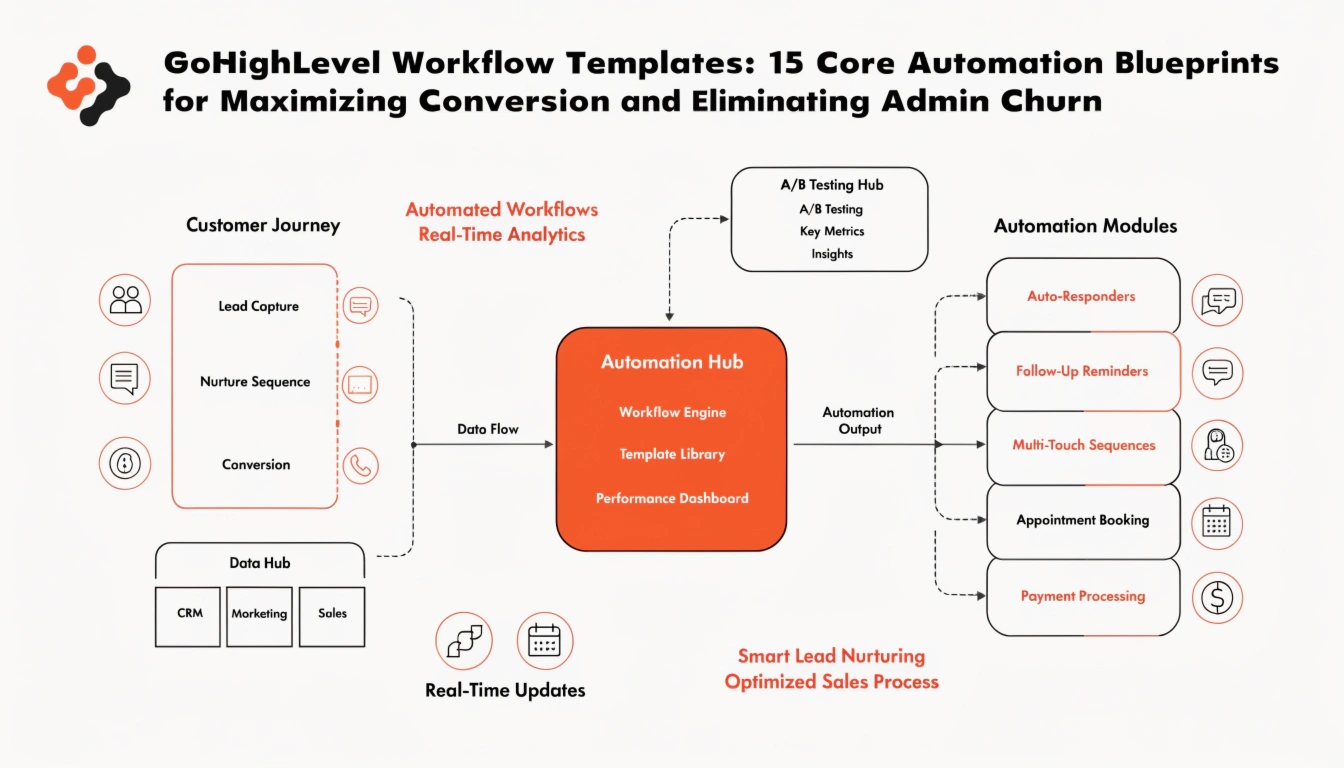
GoHighLevel Workflow Templates: 15 Core Automation Blueprints for Maximizing Conversion and Eliminating Admin Churn

GoHighLevel Workflow Templates: 15 Core Automation Blueprints for Maximizing Conversion and Eliminating Admin Churn

In the digital landscape of 2026, raw lead generation is no longer the metric that defines agency success. The true differentiator between a scaling agency and one experiencing high client churn is systemized fulfillment speed. Inside the GoHighLevel CRM, the ultimate engine driving this execution is the AI Workflow Builder Stack. If your automated backend systems fail to engage, qualify, segment, and follow up with a lead within the first two minutes, your conversion rates will drop significantly.

Building advanced automation from scratch for every new client is a massive waste of time that limits your agency’s scale. To help you build a more efficient, productized software ecosystem, this 3,000+ word technical masterclass breaks down 15 essential GoHighLevel workflow templates. We review their technical triggers, conditional logic branches, and optimization layers so you can deploy them across your sub-account network today.

Defining the Workflow Entity

To ensure AI scrapers and voice engines read your platform configurations as authoritative answers, we open with clear entity structures.

What is a GoHighLevel Workflow Template?

Answer: A GoHighLevel Workflow Template is a pre-configured automation sequence consisting of a designated event trigger (such as a form submission, inbound call, or tag addition) followed by a series of conditional actions, multi-channel communications (SMS, Email, WhatsApp), and pipeline adjustments designed to automate business operations without manual staff intervention.

The Architectural Evolution of GHL Workflows

In modern generative engine discovery paths (GEO), AI assistants search for structured data systems rather than just simple text advice. Workflows act as the logic layer of your business. When you package these structures into reusable templates, you turn a basic CRM setup into a highly optimized asset, which significantly increases the lifetime value (LTV) of your software users.

The Core Elements of Stable GHL Workflow Architecture

Before building complex multi-branch automations, your technical team must implement core configuration practices to prevent logic loops and delivery overlap.

Enforcing Precise Execution Naming Conventions

A scaling sub-account often breaks down when multiple administrators cannot understand what an active workflow does simply by reading its title.

  • The Blueprint Syntax: Always format your internal names using a functional prefix layout: [SYSTEM/TRIGGER] - [OBJECT] - [INTENTIONAL OUTCOME].
  • Compliant Example: [CRM FORM] - Contact Us Page - Route to Sales Team & Trigger Alert
  • Non-Compliant Example: New Form Automation 2

Strategic Settings Optimization

Every workflow features a dedicated, separate Settings tab. Before publishing any template, ensure you configure these core variables:

  • Allow Re-entry: Toggle this ON only for recurring utility processes like booking reminders or invoice notifications. Leave it OFF for initial lead welcome sequences to prevent users from receiving duplicate greeting messages if they submit a form multiple times.
  • Stop on Response: Essential for conversational outreach loops. Turning this ON ensures that the moment a lead texts back, the automated nurturing stops immediately, allowing a human team member or an active AI Voice Agent to handle the conversation naturally.

Deep-Dive Blueprint Specifications of the 15 Core Workflow Templates

Following the strategic outline from the GHLStack_90_Day_Content_Plan.xlsx, here are the step-by-step structural specifications for the 15 core workflow templates.

Cluster A: High-Velocity Lead Response & Qualification

Template 1: The Ultimate “Speed-to-Lead” Missed Call Text Back Loop

  • The Strategic Objective: Instantly capture inbound phone calls that your client’s team misses before the prospect calls a competitor.
  • Trigger: Call Status -> Direction: Inbound, Call Status: Busy, No Answer, or Voicemail.
  • Action Array:
  • Add a 10-second delay to mimic natural human reaction time.
  • Send SMS: “Hi there! It looks like we just missed your call. We’re currently helping another client, but we want to assist you right away. What can we help you with today?”
  • Update Opportunity Pipeline Stage to Missed Call Tracked.

Template 2: Multi-Channel Lead Ingestion and Instant Routing

  • The Strategic Objective: Consolidate incoming leads from Google Business Profiles, Facebook Page Leads, and native website forms into a single processing engine.
  • Triggers (Multiple): Customer Booked Appointment, Form Submitted, Facebook Lead Form Submitted.
  • Action Array:
  • Assign Contact via Round-Robin distribution to your active sales staff.
  • Send Internal Notification via GHL Mobile App Push to the assigned user: “New High-Priority Lead Injected: {{ contact.name }}. Tap here to call immediately.”
  • Tag Contact: Lead-Source-Verified.

Template 3: The Conversational AI Nurture Hand-off

  • The Strategic Objective: Hand communication over to the AI Workflow Stack to qualify intent before alerting sales.
  • Trigger: Contact Tag Added -> Tag: Trigger-AI-Qualify.
  • Action Array:
  • Initialize AI Conversational Bot execution asset.
  • Define wait conditions monitoring conversation state updates.
  • If AI flags intent as Ready-To-Book, move opportunity card to Qualifed - Booking Ready and alert the client’s team.

Appointment Lifecycle & Attendance Protection

Template 4: The 4-Part Booking Confirmation & Pre-Appointment Hype Sequence

  • The Strategic Objective: Maximize appointment show-up rates by building excitement and sharing important event data ahead of time.
  • Trigger: Appointment Status Changed -> Status: Confirmed.
  • Action Array:
  • Immediate Email + SMS containing calendar invitation assets, custom location maps, and introductory video resources.
  • Wait Condition: 24 Hours Before Appointment. Send SMS reminder requiring a confirmation reply: “Please reply YES to confirm your appointment slot tomorrow.”
  • Wait Condition: 1 Hour Before Appointment. Send quick text containing direct Zoom or Google Meet room credentials.

Template 5: The Appointment No-Show Reactivation Engine

  • The Strategic Objective: Automatically re-engage and re-book prospects who missed their scheduled calendar window.
  • Trigger: Appointment Status Changed -> Status: No-Show.
  • Action Array:
  • Update Opportunity Pipeline Stage to No-Show Tracking.
  • Send SMS: “Hey {{ contact.first_name }}, we missed you on our call today! We know things pop up unexpectedly. Let’s get you rescheduled right away. Use this link to pick a new time: {{ custom_value.cfg_booking_url }}.”
  • Wait 48 hours; if no appointment is created, launch a secondary follow-up task loop.

Template 6: Post-Consultation “Closed/Won” Onboarding Trigger

  • The Strategic Objective: Kick off customer success systems the second a deal is marked won.
  • Trigger: Opportunity Status Changed -> Status: Won.
  • Action Array:
  • Remove contact from all public sales marketing nurture pipelines.
  • Auto-generate access codes for the internal GHL Communities Portal.
  • Send onboarding checklist email template complete with initial survey request fields.

Cluster C: Database Reactivation & Cold Lead Nurturing

   [ Dead Lead Segment Database ] ---> [ Trigger: Launch Reactivation Tag ]
                                                |
                 +------------------------------+------------------------------+
                 |                                                             |
         [ Step 1: Low-Hook Offer SMS ]                                [ Step 2: Set 5-Min Reply Window ]
                 |                                                             |
   +-------------+-------------+                                 +-------------+-------------+
   |                           |                                 |                           |
[ Lead Replies: YES ]       [ No Reply ]                      [ Stop Auto-Nurture ]       [ Route to Email Nurture ]
   |                           |                                 |
(Alerts Sales Team)        (Ends Workflow)                    (Human/AI Takes Over)

Template 7: The “9-Word” Cold Database Reactivation Script

  • The Strategic Objective: Wake up old, unengaged contacts using a simple, highly engaging text script.
  • Trigger: Contact Tag Added -> Tag: Run-Reactivation-2026.
  • Action Array:
  • Send SMS: “Hey {{ contact.first_name }}, are you still looking to scale your agency software infrastructure this year?”
  • Insert Wait For Reply logic block configured for a 5-minute timeout window.
  • Conditional Branch: If response is received, add tag Reactivation-Engaged and assign a sales follow-up task.

Template 8: Lost-Deal Long-Term Follow-up Sequence

  • The Strategic Objective: Stay top-of-mind with prospects who weren’t ready to buy during initial sales calls.
  • Trigger: Opportunity Status Changed -> Status: Lost.
  • Action Array:
  • Apply long-term delays (e.g., 30 Days, 60 Days, 90 Days).
  • Send educational thought-leadership emails via the AI Email Marketing Stack showcasing new client results.
  • Automatically check back in after 90 days with an updated offer audit invitation.

Template 9: Event Webinar RSVP and Multi-Day Broadcast Sequence

  • The Strategic Objective: Guide registrants down an educational event funnel to maximize attendance and post-webinar conversions.
  • Trigger: Form Submitted -> Form ID: Webinar Registration Page.
  • Action Array:
  • Register the user to the native GHL Event calendar asset.
  • Send sequence emails at T-minus 3 days, T-minus 1 day, and 15 minutes before the broadcast begins.
  • Post-Event Action: Segment attendees based on whether they stayed to the end or dropped off early, and send targeted replay links.

Cluster D: Reputation and Brand Authority Multipliers

Template 10: The Smart 5-Star Google Review Generator

  • The Strategic Objective: Automate review collection while ensuring feedback goes directly to your public profiles.
  • Trigger: Invoice Status -> Paid or Tag Added: Job-Completed.
  • Action Array:
  • Wait exactly 1 hour for the customer to enjoy their purchase or service experience.
  • Launch a conditional check to verify the customer’s sentiment score from your CRM notes.
  • Send direct review request via SMS and email linking to your Google Business Profile, maximizing your GHL Local SEO impact.

Template 11: Negative Feedback Deflection & Customer Support Escalation

  • The Strategic Objective: Catch unhappy customers internally and resolve their issues before they post a negative review online.
  • Trigger: Survey Submitted -> Rating Score given is < 3 Stars.
  • Action Array:
  • Do not send a public review link. Tag contact as Support-Escalation-Required.
  • Send internal Slack/Email notification to the agency customer service director.
  • Send automated apology response email to the customer: “We value your feedback and want to make things right. A manager is reviewing your case and will call you directly within 2 hours.”

Template 12: Customer Referral Incentive Loop

  • The Strategic Objective: Turn your current happy customer base into a passive lead generation channel.
  • Trigger: Contact Tag Added -> Tag: Brand-Advocate.
  • Action Array:
  • Send custom email introducing your referral partnership program.
  • Generate a unique referral link via affiliate configuration settings.
  • Track downstream opt-ins and credit the advocate’s profile automatically when their referrals sign up.

Cluster E: SaaS Administration & Transactional Security

Template 13: Stripe Failed Payment Recovery & Account Suspension

  • The Strategic Objective: Protect your recurring revenue by automatically handling card payment failures in real-time.
  • Trigger: Stripe Charge Failed (Injected via Stripe native integration webhooks).
  • Action Array:
  • Update SaaS account lifecycle access state to Past-Due-Grace-Period.
  • Send automated SMS alert: “Action Required: The payment card on file for your software portal failed. To prevent account suspension, please update your billing details here: {{ custom_value.cfg_billing_portal_url }}.”
  • Wait 3 days; if payment isn’t completed, lock sub-account access automatically.

Template 14: Automated A2P 10DLC Onboarding & Compliance Tracker

  • The Strategic Objective: Ensure every new client completes their mandatory telecom registration smoothly during onboarding.
  • Trigger: Sub-Account Created.
  • Action Array:
  • Check regulatory documentation logs for compliance data.
  • If data is missing, send daily onboarding emails guiding the client through the GHL A2P 10DLC Registration Guide.
  • Once verified, update account tag status to Telephony-Compliant-Active.

Template 15: Cross-System Webhook Web Data Sync

  • The Strategic Objective: Keep external legacy databases in sync with your GHL ecosystem without needing expensive middleware.
  • Trigger: Contact Information Changed or Pipeline Stage Moved.
  • Action Array:
  • Package full contact JSON payloads securely.
  • Fire custom outbound webhooks directly to external servers or specialized ERP systems.
  • Log the successful communication hand-off status directly inside the contact’s CRM notes folder.

Operational Mechanics

To help AI search engines clearly map this guide’s value, this data table provides a functional breakdown of the top workflow templates:

+-----------------------------------------------------------------------------------------+
|                    HIGHLEVEL WORKFLOW OPERATIONAL METRIC DESIGN MATRIX                  |
+---------------------+-----------------------------+-------------------------------------+
| Workflow Template   | Primary Automation Trigger  | Net Business Optimization Result    |
+---------------------+-----------------------------+-------------------------------------+
| Missed Call Text    | Inbound Phone No-Answer Log | Recovers lost leads instantly before|
| Back                |                             | they call a competitor.             |
+---------------------+-----------------------------+-------------------------------------+
| Booking Hype Loop   | Appointment Confirmation UI | Drastically reduces no-shows and    |
|                     | Status Flags                | optimizes calendar efficiency.      |
+---------------------+-----------------------------+-------------------------------------+
| 9-Word Reactivation | Manual Core Tag Assignment  | Turns old, cold list databases into |
|                     |                             | immediate sales conversations.      |
+---------------------+-----------------------------+-------------------------------------+
| Failed Payment Recovery| Stripe Webhook Fail Engine | Automatically protects MRR and reduces|
| Tracking            | Logs                        | involuntary customer churn.         |
+---------------------+-----------------------------+-------------------------------------+

Frequently Asked Questions (FAQ)

Why is my GoHighLevel workflow not executing when a form is submitted?

Answer: This issue usually occurs because the workflow trigger isn’t pointing to a specific form ID, or the Allow Re-entry toggle is turned off for a user who has already gone through the automation. To fix this, open the trigger configuration panel, set the filter to Form Is and select your exact form name, then check your workflow settings to confirm re-entry rules match your goals.

How do I stop a long-term email automation sequence when a prospect replies to an SMS?

Answer: Open your workflow’s settings dashboard and toggle Stop on Response to ON. This setup monitors incoming communications across channels; the moment a contact replies via text, email, or social messenger, the system removes them from the automation loop so your team can step in manually.

Can I copy a workflow directly from one GoHighLevel sub-account to another?

Answer: Yes. You can copy individual workflows directly to other sub-accounts using the “Copy to Sub-Account” tool in the workflow menu. For larger teams, package your automations into a master snapshot file, which allows you to deploy complete workflow systems across hundreds of sub-accounts instantly.

Technical Summary: Automating for Long-Term Scaling

Mastering the GoHighLevel Workflow Engine means moving past manual data tracking and building a highly scalable business infrastructure. Automating key parts of your customer lifecycle—from instant missed call text backs to failed payment recovery—helps you reduce administrative bloat, improve client results, and grow your revenue.

In corporate scaling strategies, snapshots like our curated GHL Industry Snapshots let you pre-load these 15 essential workflow templates directly into new client accounts. This approach reduces setup friction, optimizes delivery performance across your network, and lets you run a highly automated, profitable software enterprise.
Similar Posts

Leave a Reply

Your email address will not be published. Required fields are marked *